







The AI debugging partner that takes you from crash to root cause.
More than a debugger, the Companion is a helper that guides you through every step: the issue worth fixing, the root cause, the hand-off to action, and the proof that it moved your metric. So you're always building toward the outcome you set, not just closing tickets.

One prioritized inbox
A single queue for you and your team's agents, ranked by your business goals, not by how often something fires.

A companion at every step
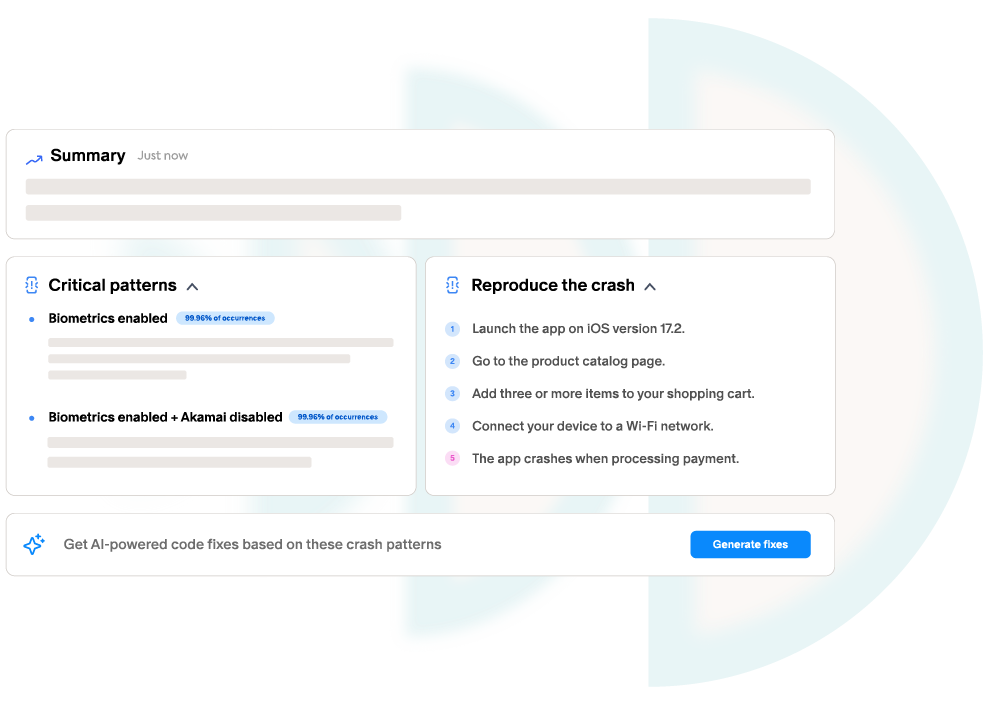
Auto-prioritization, grouping and duplicate detection, summaries, aggregated repro steps, and root cause, guidance through the whole debugging journey.

Built for MCP
Token-efficient by design: aggregates by default, with your agents free to drill into the raw detail only when they need it.
Stop deciding what to work on, the list already knows
You and your agents work the same queue, and you never have to think about what matters most, because the list does it for you. Every issue is ranked by its impact on the goal you choose (frustrated sessions, revenue, or retention), and each row shows exactly what it's costing you, right there. The top is always the highest-impact thing to fix next. Fix it, and watch the number move.

An AI companion at every step of the debugging journey
From the moment an issue lands to the moment it's fixed, the Companion does the heavy lifting, for you and for your agents.
Auto-prioritization
Every issue is ranked by the business goal you choose, so the top of the queue is always the one worth fixing next.

Recommended grouping
Related crashes and bugs are clustered intelligently, so one root cause shows up as one issue, not a hundred.

Duplicate detection
The Companion spots and merges duplicates automatically, keeping the queue clean for you and your agents.

Plain-language summaries
Each issue comes with a clear, human-readable summary, what happened and why, instead of a wall of telemetry.

Aggregated repro steps
Common reproduction steps are aggregated across all affected users, so you skip straight to a path you can replay.

Root-cause analysis
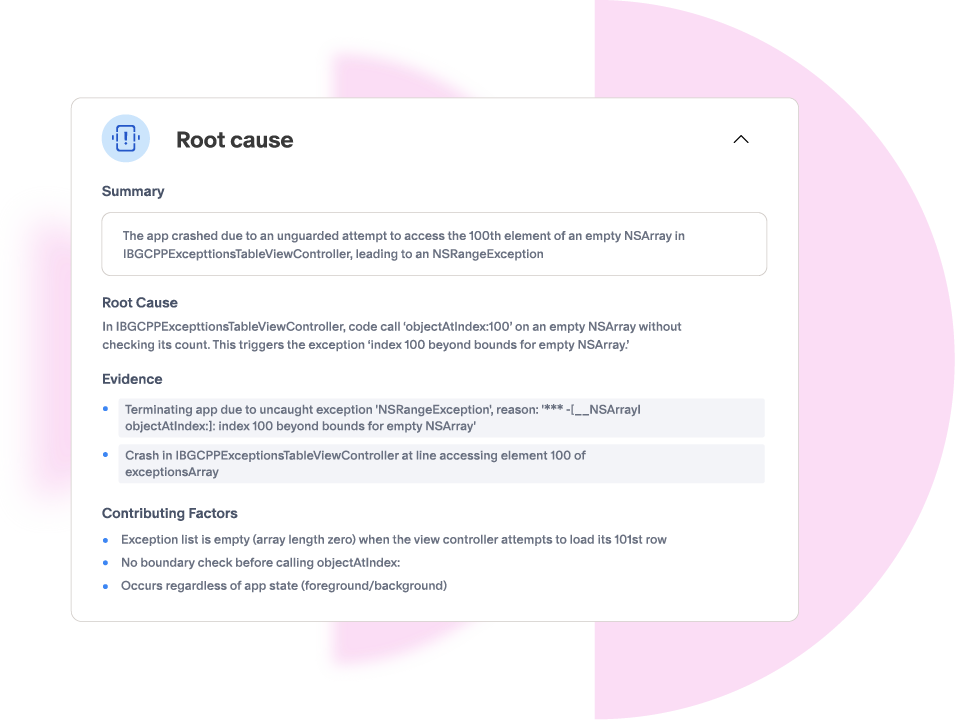
The Companion traces the failure to its source and points at the exact code path, the “cannot reproduce” era is over.
Ask it anything, get the answer in plain English
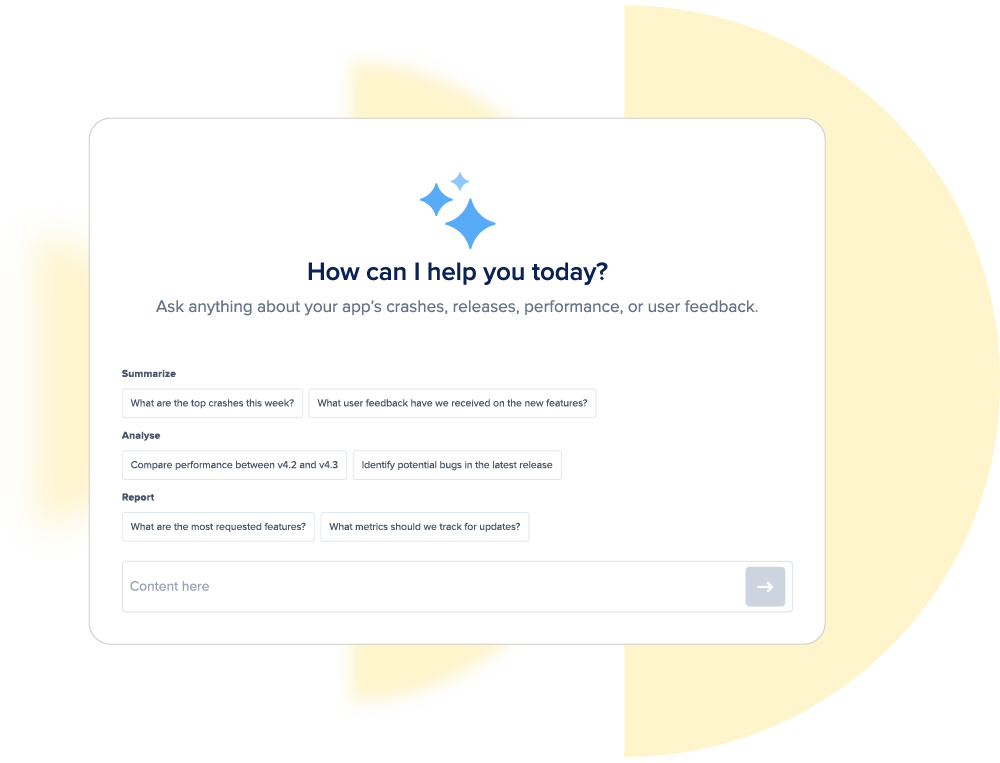
Open the AI Debugging Assistant on any issue and ask for the root cause and the steps to reproduce. It answers in plain language, with links to the exact lines of code, so a human and an AI work the same problem, together. No more reading a wall of telemetry to figure out what happened.
When you're ready to fix, it hands off
The Companion guides you right up to the fix, then hands the full context wherever you act. Open the issue in Claude or Cursor over MCP, or pass it to Autopilot to prepare a pull request. You're never copy-pasting context between tools; it travels with the issue.

It confirms you actually moved the number
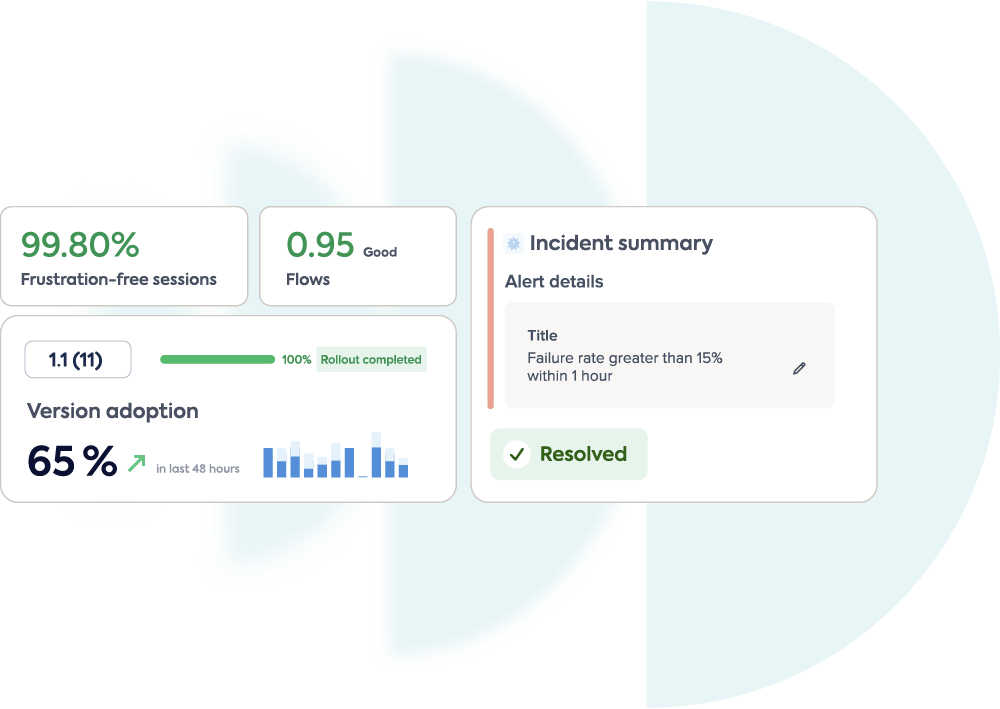
Guidance doesn't stop at the fix. After a change ships, the Companion confirms the issue is resolved and shows what it did to the metric you chose, frustrated sessions, conversion, or retention. Every step is measured against the outcome you set out to reach, not just marked “closed.”
All the context your agents need, token-efficient by default
Everything the Companion knows is available to your agents over MCP, Claude, Cursor, or your own framework. It hands over pre-summarized aggregates by default, so you never blow the context window or the token bill. And when an agent needs the raw detail of a single occurrence, it's one query away.
Agents do more with Luciq's context
Hand an agent a raw log dump and it guesses. Hand it Luciq context and it acts, here's the difference.

Deterministic & stateful
The exact app state before the failure, not an agent's best guess from a flat log. Grounded answers, fewer turns.

Pre-summarized
A single crash has thousands of occurrences. We aggregate to exactly what the agent needs, so you never blow the context window or the token bill.

Connected, not scattered
Every signal is tied to the same session, so the agent gets one story, the rage tap, the failed call, the one-star review, not four disconnected tabs.

Captured at the edge
Context no general-purpose agent can reach, because it's collected inside the app before the failure, with the raw detail one query away.
Ask anything, build any view
The Companion isn't just a queue. Ask any question in plain language and get an answer from live data, or start from one of several ready-made dashboard templates for team performance, release comparisons, and funnel drop-off.

Ask anything, get an accurate answer
Ask in plain language, from the dashboard or over MCP, and get an accurate answer from live data, no predetermined view required.

Dashboards in seconds
Turn any question into a custom dashboard on the spot, and share it with the stakeholders who need it.

Integrate everywhere
Pull the same data into the rest of your stack with APIs, CLIs, and MCP, straight into your own business dashboards.
A companion that configures itself.
You don't set up prioritization rules or triage workflows by hand. Onboarding runs through agentic skills that configure the Companion for your team automatically.
1
Connect your business goal
Tell the Companion what matters, frustrated sessions, revenue, or retention, and every issue is ranked against it from day one.
2
Run an onboarding skill
An agentic skill sets up grouping, duplicate detection, and summaries for your codebase, no manual configuration.
3
Your queue is ready
One prioritized inbox, live in minutes, for you and every agent you run.
Give every developer, and every agent, a companion.
One source of truth for what happened in any session, written so a human can read it and an agent can act on it. That's how you close the gap between knowing and fixing.