







How to choose between a tool's own agent, MCP, a CLI and your own agent.
Picture a crash spike at 3 a.m. An agent reads the stack trace, writes a fix that compiles, and opens a pull request with the calm confidence of something that has never met your users. The fix is plausible. It is also wrong, because the crash only happens when someone backgrounds the app halfway through checkout on a weak connection, and the stack trace never mentioned any of that.
A model working from a stack trace alone is guessing. A model working from what happened on the device is debugging.
Why Does Every Tool Now Offer the Same AI Options?
Every team has access to the same models now. They can read your code, write a fix and open a pull request. What they can't see is what your users went through: the screens before the crash, the logs written on the way there, the state of the device and what the user said about it afterwards. That is the difference between a plausible fix and the right one.
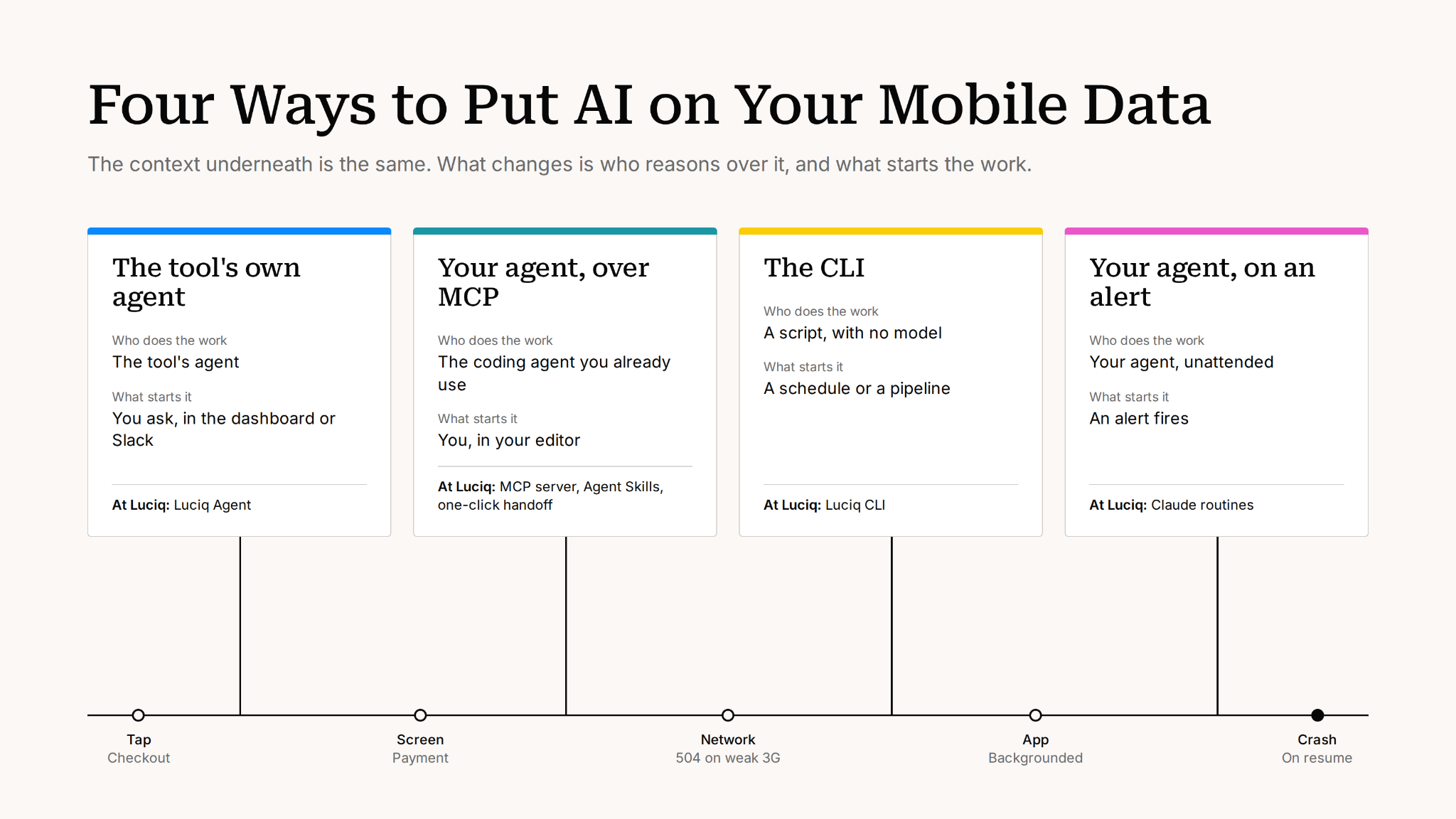
Meanwhile, the vendors have converged on a remarkably similar menu. Datadog and Sentry, like most observability vendors, now offer their own agent, an MCP server and a CLI. Most also hand work to your coding agent. (After enough product demos, you start recognizing the menu before the waiter arrives.) Teams keep asking which one to use, and the answer depends less on the tool than on two questions: who should do the work, and what starts it.
Four Rules for Choosing How AI Debugs Your App
Here is how we would decide, after more than a decade of watching mobile apps in production.
Context decides the fix, not the model
A stack trace tells you where the app died. It doesn't tell you how it got there. Whatever agent you use, give it the path into the crash: the most common steps before it, the logs your code wrote, and how it spreads across devices and versions.
Some problems never throw an error at all. A button stops responding. A screen flickers. A user taps the same spot again and again, then quietly deletes the app, no note, no closure. None of that is in a log file. It's in the session, and an agent can only reason about it if it can see it. That is the gap between flat context and stateful context, and it is the one input you can't add after the fact.
Put the review at the pull request
Let the agent investigate, reproduce and write the fix. Put the person where the decision is: the pull request, before anything ships. Reviewing every step of an investigation is how teams end up with an agent that saves no time at all.
Pull data with scripts, reason with models
Running thousands of records through a model costs tokens and fills its context with noise. Pull volume with a script, then hand the agent the small slice that needs thinking. The numbers back this up: in Scalekit's 2026 benchmark, the same tasks cost 4 to 32 times more tokens through MCP than through a CLI.
Bring the context to the agent your team already uses
A second agent your developers don't trust won't get used. If they already work in Claude Code, Copilot or Cursor, the job is to give that agent the data, not to replace it with a new one they have to learn to like.
When Should You Use the Tool's Own Agent?
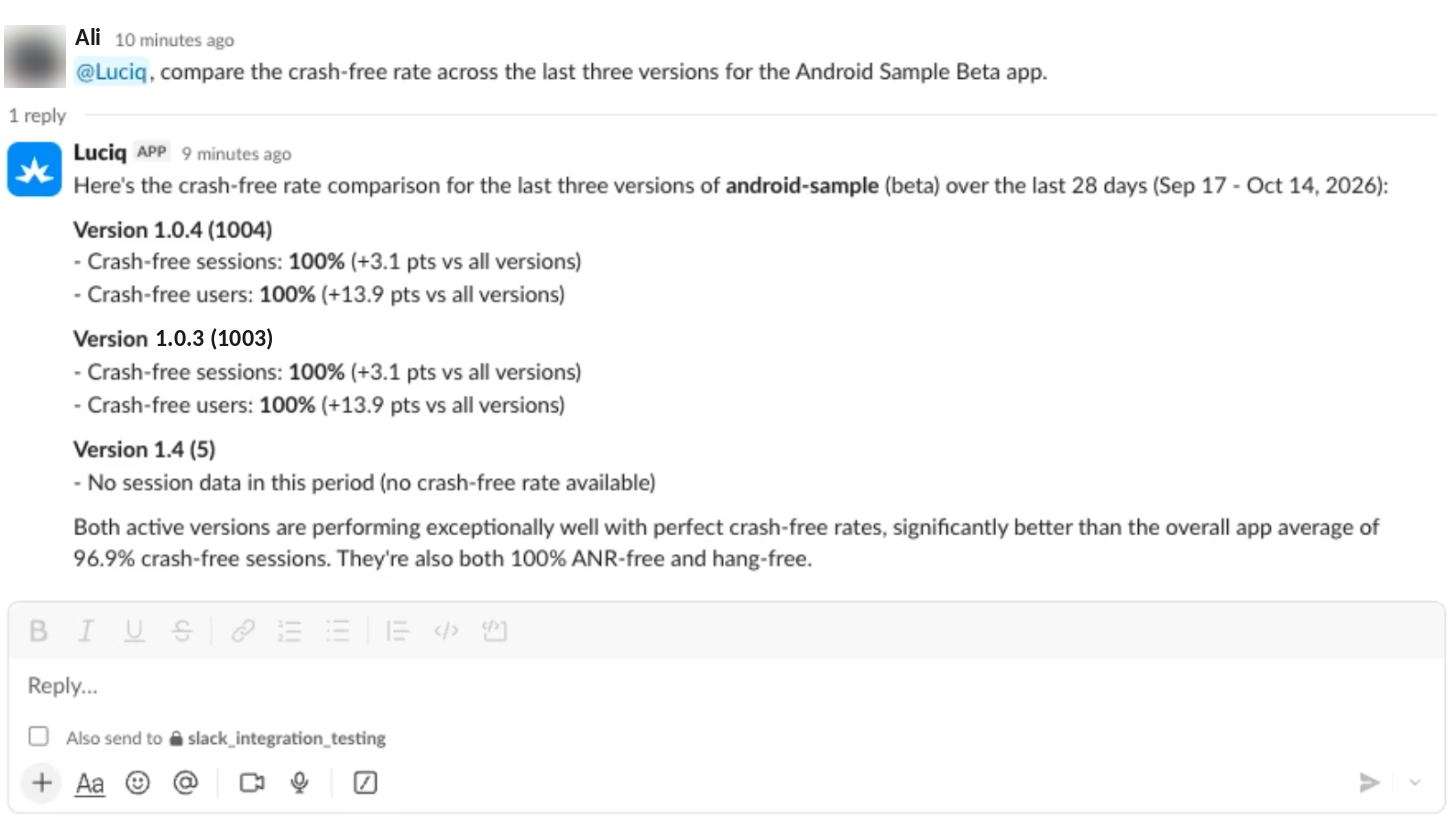
When it fits. No one has to set anything up, and the question spans the tool's data: crashes against reviews, a release against last week's. It is also the option for people who don't live in an editor. PMs, EMs and QA leads ask questions too, and they would rather not install anything to do it.
Where it stops. It sees only what the tool collects. Your design docs, your other systems and the reason the code was written that way aren't in it. Its method is the vendor's, built for the general case, and you can't change how it investigates. It reads your code through a connection, not from a working copy where it can run your tests. Treat every fix it proposes as a proposal that goes through your normal review.
What to look for. Answers built from live queries you can inspect, approval before any change, and the same permissions as the person asking.
When Should You Use Your Own Agent With the Tool's Data?
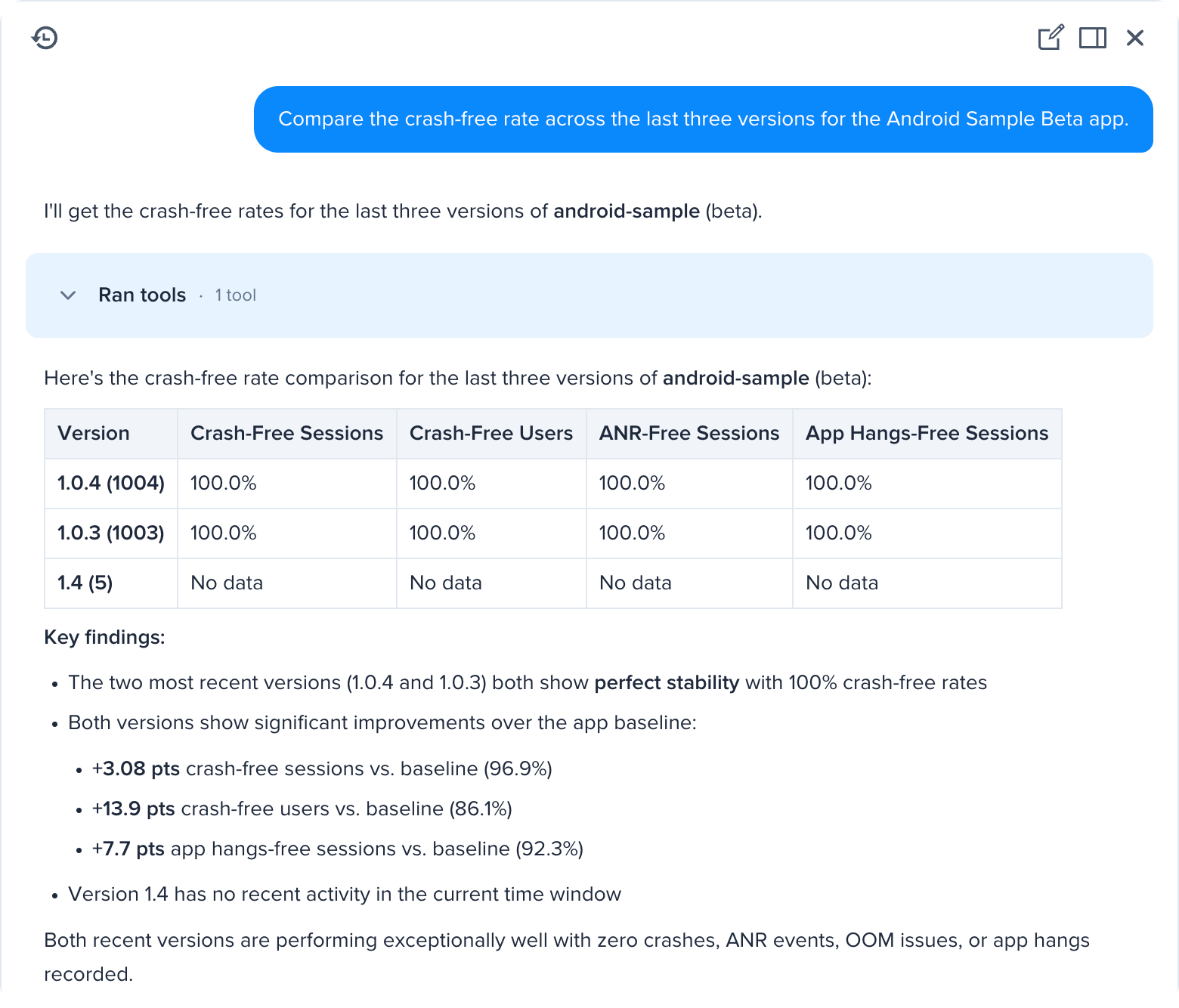
When it fits. The fix needs the repository, the conventions and the tests, and the agent in your editor already has all three. What it lacks is what happened on the device.
What it needs. Three things: access to the data through an MCP server, a method (because an agent with tools but no playbook makes a few calls and guesses), and a short path from the dashboard to the editor, so nobody spends their afternoon copying links and pasting context.
Where it stops. An agent is good at follow-up questions and bad at moving thousands of records. Keep bulk work out of the conversation.
Developers have voted with their editors. Luciq's MCP server has handled 3.4 million agent queries since April 2026, with 158% month-over-month growth in invocations and 84% monthly retention. That pattern suggests teams would rather bring context to the agent they trust than adopt a new one. For the full picture, read how the Luciq MCP server delivers mobile observability to your IDE.
MCP vs CLI: Which One Should You Use?
Use MCP when the question is "why?" and the CLI when the job runs without anyone watching.
- Reach for MCP when the question is open-ended and needs follow-ups. "What started failing after yesterday's release?" takes a few rounds of questions, and agents handle follow-ups well.
- Reach for the CLI when you need the same answer in the same shape every time: on a schedule, in a pipeline or over thousands of records. There is no model involved, so there is no token cost and no variation between runs.
- Weigh access, not just tokens. MCP keeps your agent behind your account's sign-in and permissions, while handing raw CLI access to many agents means spreading credentials around. Cost is one axis. Control is the other.
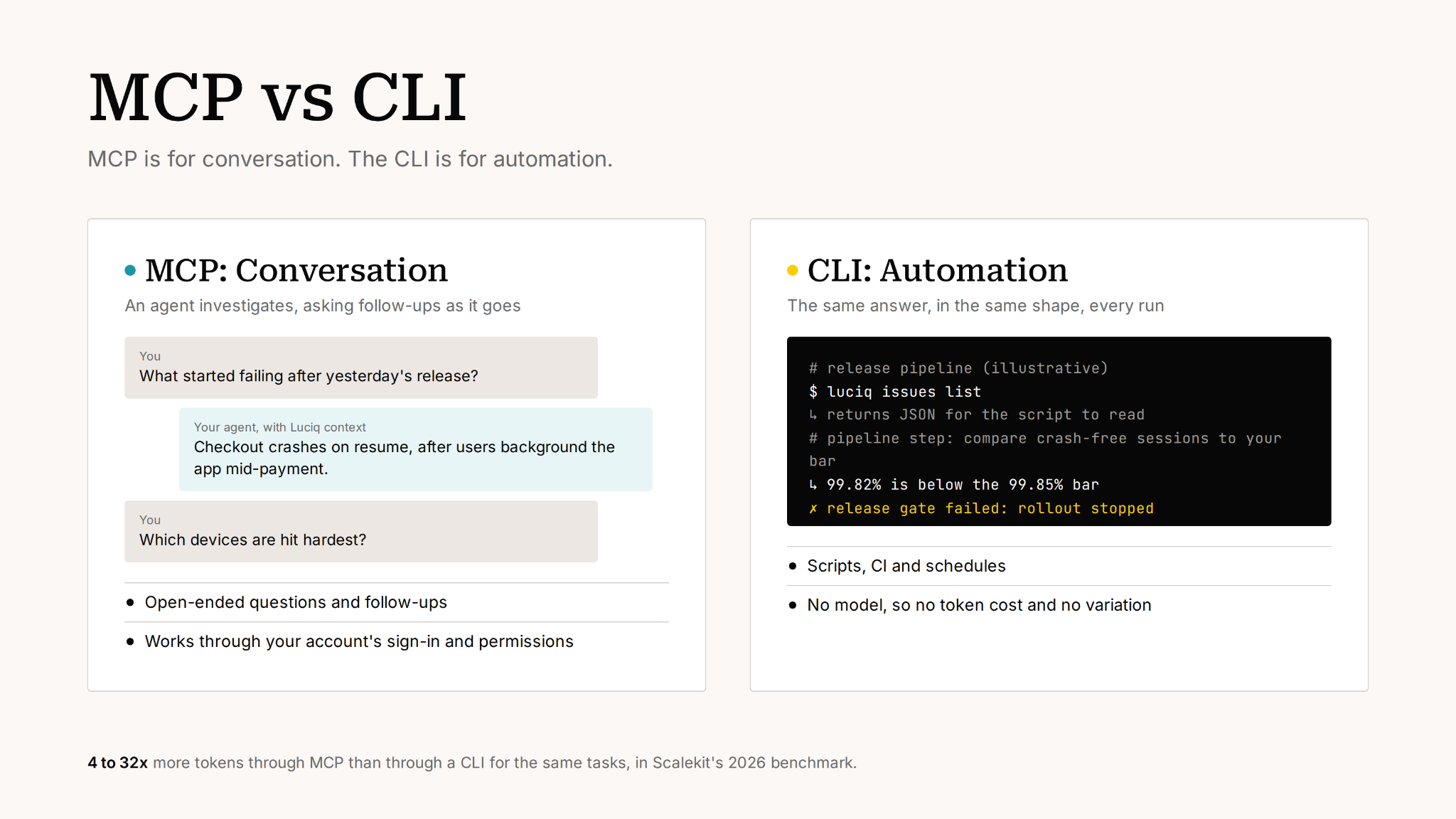
The Luciq CLI runs the same tools as the MCP server and returns JSON, so a build can pass or fail on it. Use it to upload symbols on every release, or to stop a rollout when crash-free sessions drop below your bar. Pass or fail, not "it depends".
When Should an Alert Start Your Agent?
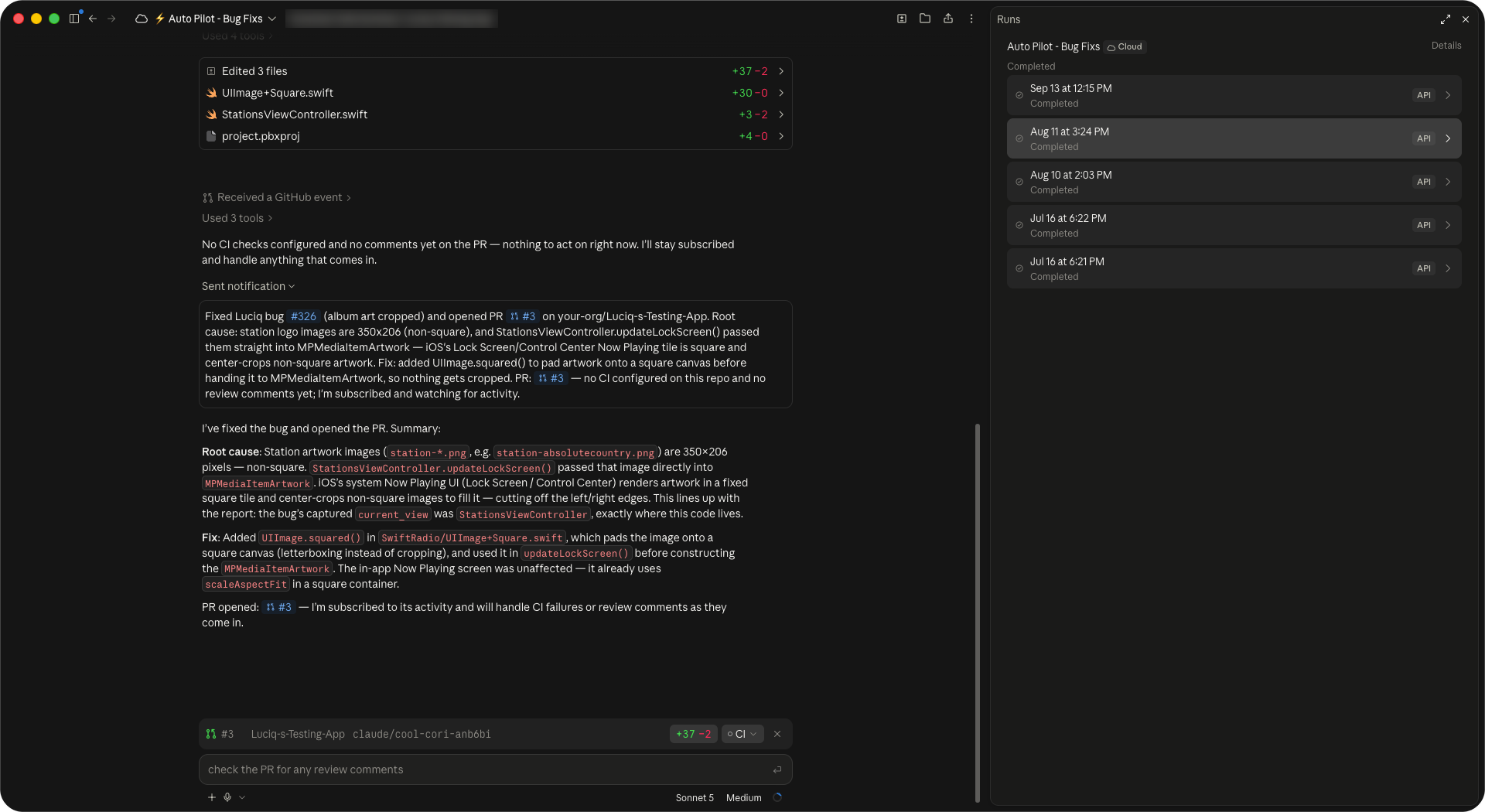
When it fits. You know what should happen when a specific alert fires, and you want the work started before anyone opens it. The investigation runs overnight, and the on-call engineer starts from findings and a proposed fix instead of a blank page and a cold coffee.
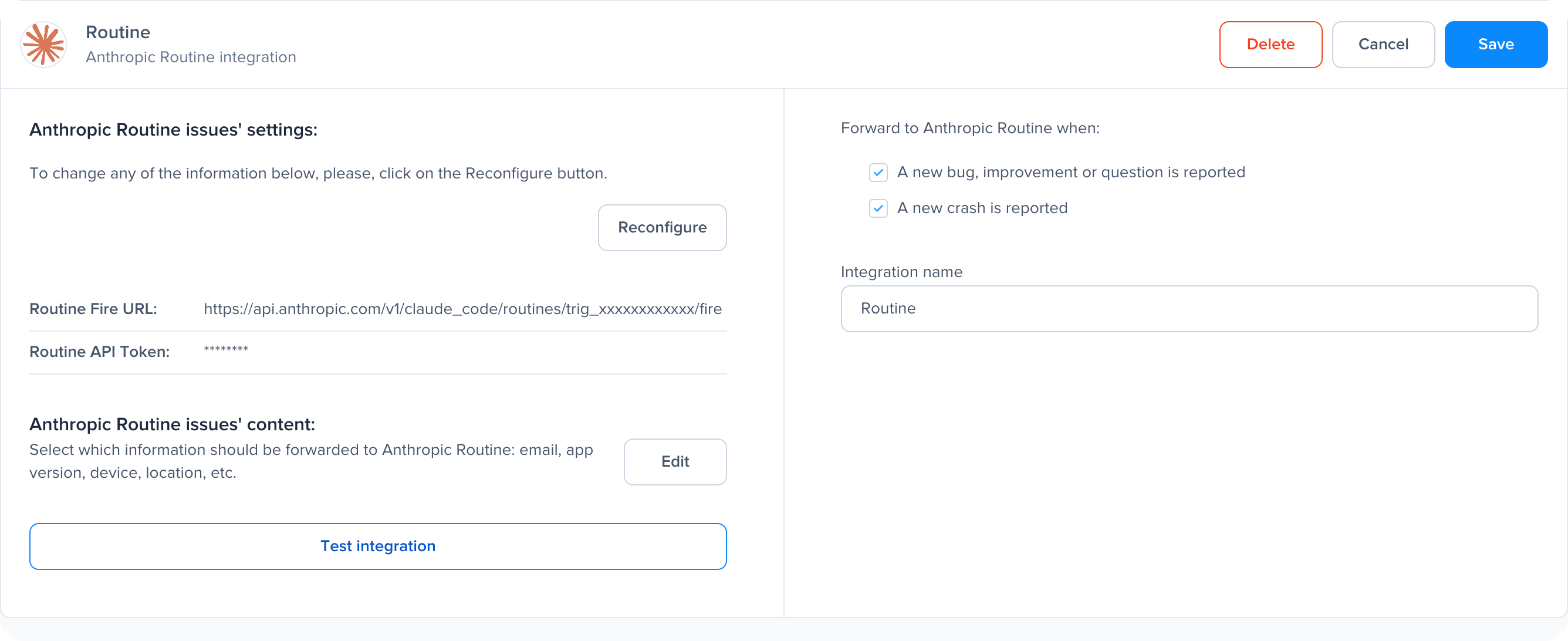
What it depends on. The alert. A noisy alert produces noisy pull requests. Before you connect an agent to an alert, make sure the alert fires on something worth a fix.
The risk to plan for. User reports and reviews carry text your users wrote, and that text reaches the agent. OWASP ranks prompt injection as the top risk for LLM applications, and instructions hidden in content an agent reads are exactly how it happens. Give the agent only the tools it needs, and keep a person on the merge.
How to Choose the Right AI Path for Your Team
- Ask a question across your app's data, with nothing to set up: the tool's own agent (Luciq Agent, in the dashboard or Slack).
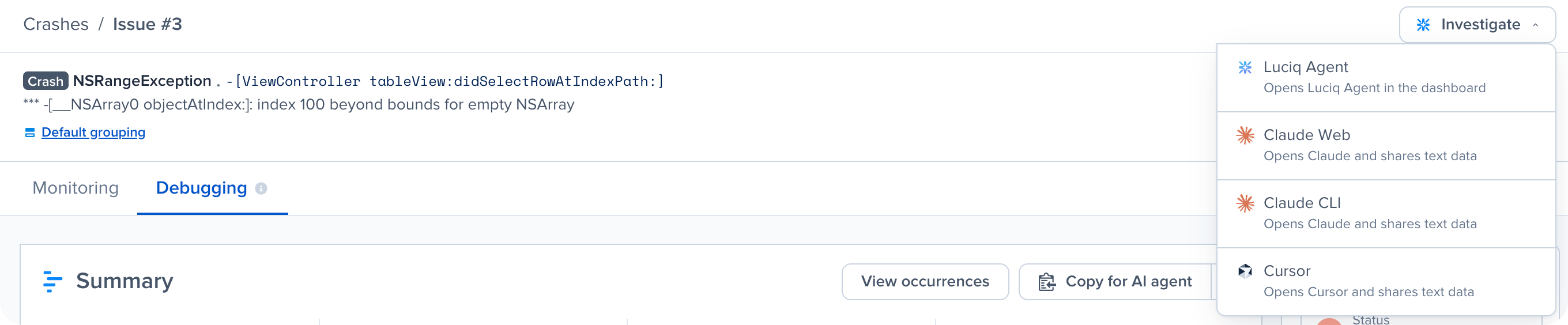
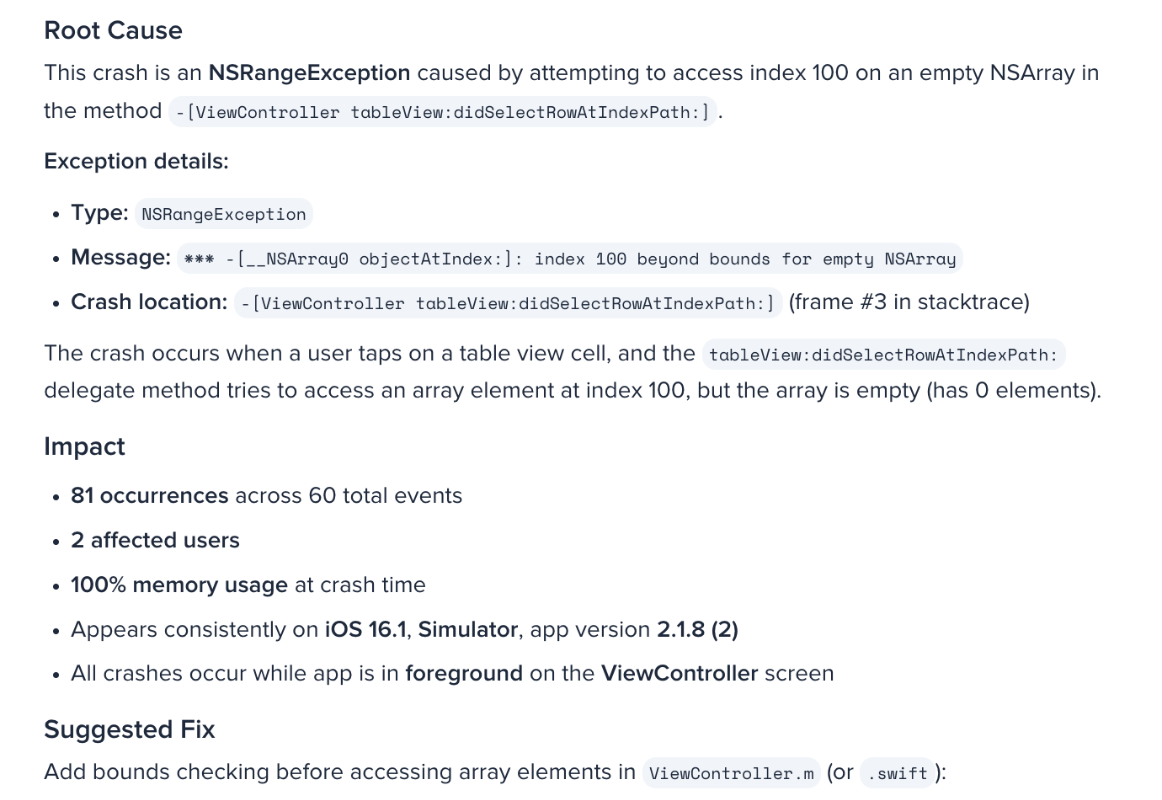
- Get a diagnosis and a proposed fix for one crash: the tool's own agent (Investigate on a crash, then Luciq Agent).
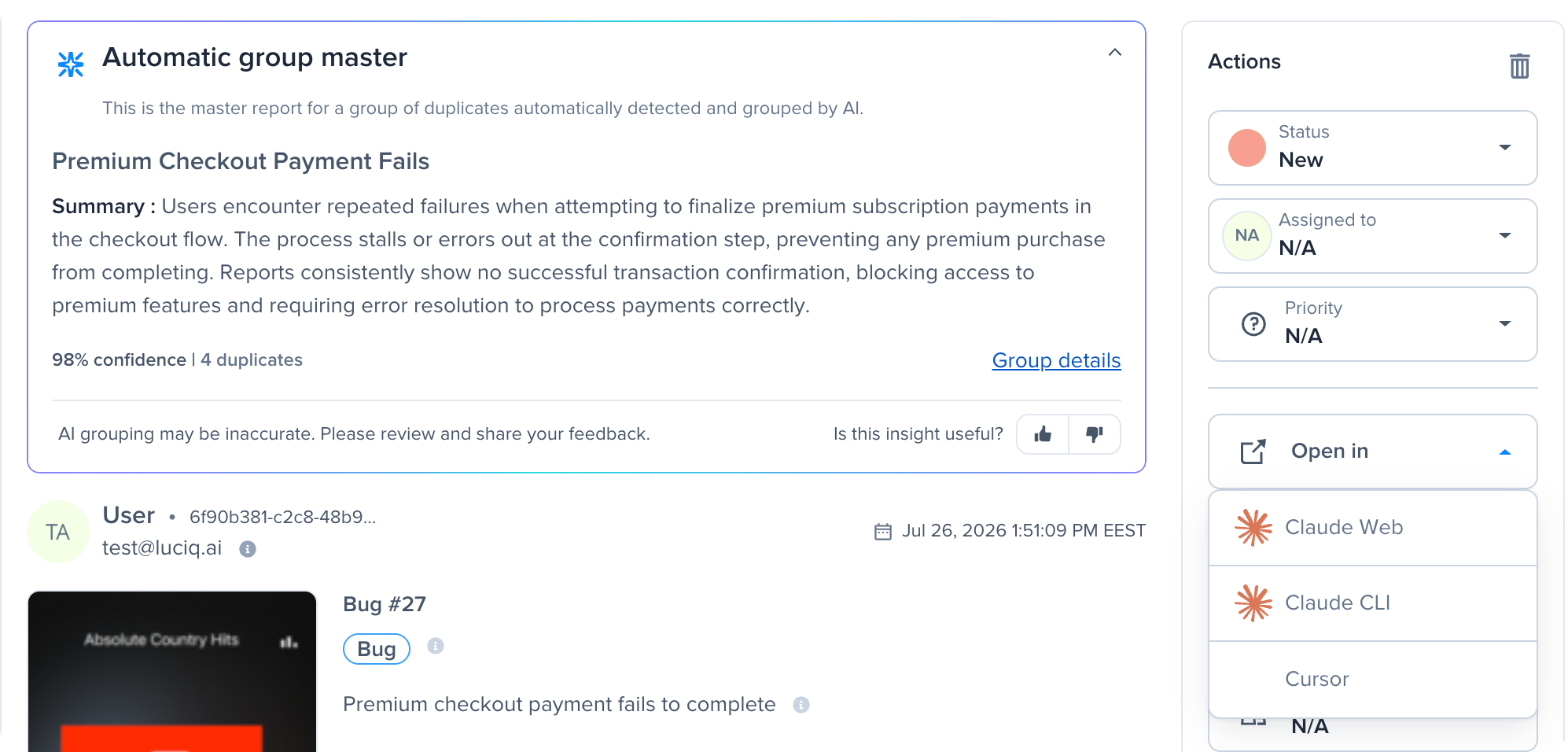
- Fix it in your codebase with the agent you already use: your own agent with an MCP server (the Luciq MCP server, Agent Skills and one-click handoff).
- Run the same job on a schedule or in a pipeline: a CLI (the Luciq CLI).
- Start the work the moment an alert fires: your agent, on a trigger (Claude routines connected to Luciq).
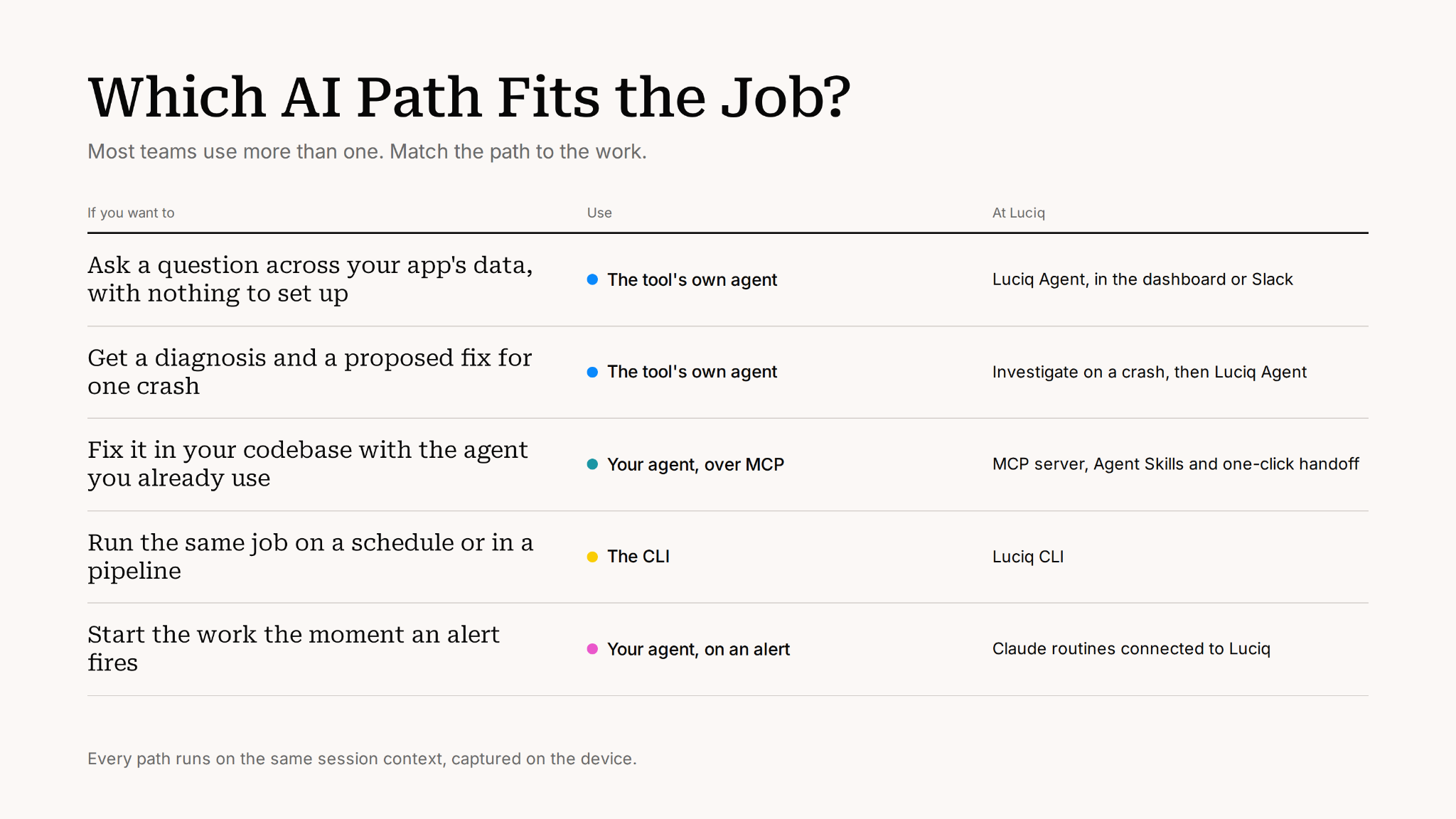
Most teams end up using more than one. A PM asks the tool's agent for the weekly health update. Developers fix in their own editor. The pipeline gates releases with the CLI. And one well-scoped alert starts an agent overnight. The data underneath is the same. What changes is who reasons over it, and what starts the work.
Here is the part I find quietly hopeful. The models will keep getting better, and faster than any of us can benchmark them. What none of them will ever do is see a session nobody captured, which means the teams that win this round won't be the ones with the cleverest agent. They'll be the ones whose agent can actually see. If you'd like to find out what yours has been missing, start with Why Context Wins in Agentic Mobile Observability.