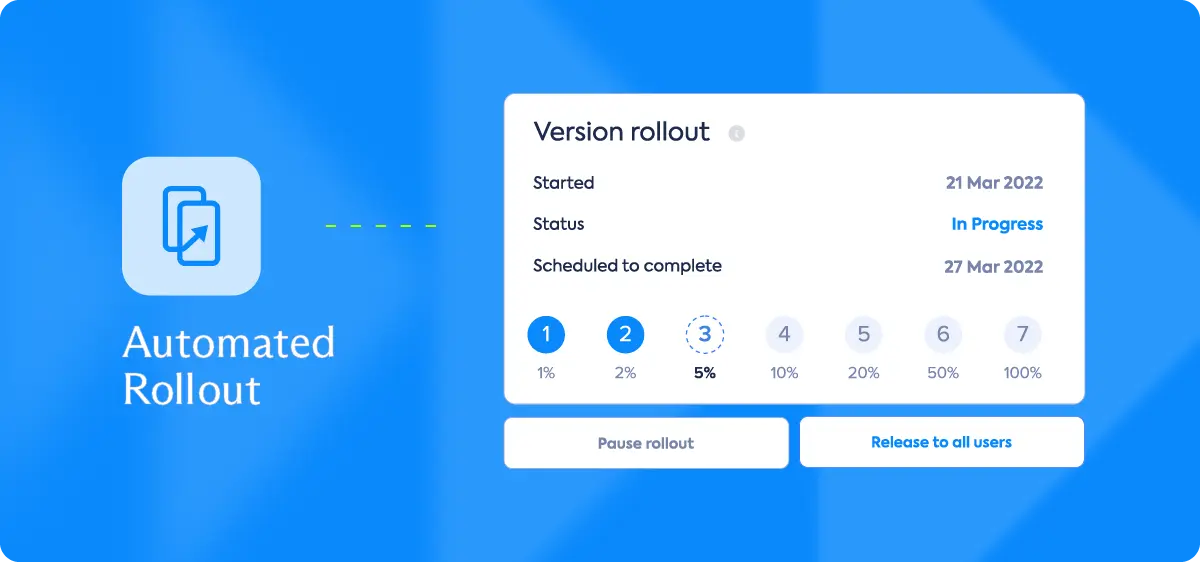
TL;DR: Automated mobile app rollout uses policy-based rules tied to real-time stability metrics - crash-free session rates, frustration-free session scores, ANR rates - to pause or halt a release automatically when health degrades. Instead of a release manager watching dashboards through a phased rollout, the system watches for you and fires the halt before the degradation reaches your full user base. Luciq's Agentic Mobile Observability platform builds this into the release workflow natively, connecting App Store rollout controls to live stability signals without manual intervention.
Here is the release process at most mobile teams, described honestly.
The team ships a build. Rollout starts at five percent. Someone - usually the release manager, sometimes a senior engineer - keeps a tab open with the crash-free session dashboard. They check it every hour or two. If the numbers look fine at five percent, they bump to twenty-five. They check again. Then fifty. Then a hundred.
If something goes wrong at forty percent, they catch it. If something goes wrong at 3am on a Tuesday when nobody's watching, they catch it in the morning - which means forty percent of their user base has been living in a degraded app for hours.
This is not a process problem. It's a structural one. Manual release monitoring asks a human to do something a rule could do better and never forget.
What Automated Rollout Rules Actually Are
An automated mobile app rollout rule is a policy: if metric X drops below threshold Y during rollout stage Z, pause or halt the release.
The mechanic is simple. The value is in what it replaces: the human who has to be awake, watching, and ready to act.
Most teams already have the thresholds in their heads. They know that a crash-free session rate below 99.85% is a problem. They know that a frustration-free session score dropping more than two points from the previous version is a signal worth stopping for. The issue is that those thresholds live in someone's judgment, not in a system.
Automating the rollout means putting those thresholds in the system and trusting the system to act on them.
The Luciq Release Management Dashboard: A Single Pane of Glass
The video below shows how Luciq's prevention workflow and release management dashboard work in practice. It runs just over a minute. What it shows in that minute is what most release teams wish they had.
Here is what you are seeing at each stage:
The Command Center View (0:01–0:37)
The opening view is a centralized dashboard showing version adoption, app ratings, and crash data in real time. This is not a summary report - it's a live feed.
The dashboard shows which version your users are on right now, how it compares to the previous version on crash-free sessions and frustration-free score, and the top ten new and recurring crashes broken down by occurrence and user impact. A release manager can look at this screen for ninety seconds and know whether the rollout is healthy. For a full walkthrough of the dashboard, see the Rollout Management guide.
The alternative - assembling this view manually from three separate tools - takes time nobody has when a release is degrading.
App Store Integration: Pausing and Resuming from One place (0:38–0:50)
The App Store integration section shows something most release managers have had to do the hard way: manually logging into App Store Connect or the Play Console to pause a rollout. In Luciq, you do it from the same screen where you're watching stability data. To set up the App Store or Play Store connection, follow the Store Integrations guide: rollout progress, start date, current percentage, pause and resume controls, all in one place.
This is the manual control layer. What the next section replaces with automation.
Setting Halt Rules: Stability Thresholds That Fire Automatically (0:51–1:17)
This is the part that changes how release management works. You define a rule: if the crash-free session rate drops below a specific threshold at any point during rollout, the release halts automatically. No human required to make that call.
The rule-setting UI shows threshold configuration - crash-free rate, frustration-free sessions, ANRs, with access controls so that only admins and owners can modify the rules. and owners can modify the rules. This is intentional. The guardrails should be hard to override in the moment of anxiety that surrounds a degrading release.
The result: you ship. The system watches. If something goes wrong, the halt fires before you notice the problem.
What the Benchmark Data Says About Where to Set Your Thresholds
Luciq's 2026 Mobile App Performance Playbook puts median crash-free sessions across enterprises at 99.95%, with top performers at 99.99% and lagging teams at 99.77%.
That 0.18-point gap between median and lagging is not small. At scale - ten million sessions a month - the difference between 99.95% and 99.77% is 18,000 additional failed sessions. Each one is a user who hit a crash instead of completing a flow.
As a starting point for halt rules: set your automatic pause threshold at 99.85%. If a new version drops below that during rollout, the system pauses before the degradation compounds. Adjust from there based on your historical baseline.
The No Margin for Error report adds the user behavior context: 15.4% of users uninstall after a single crash. At a phased rollout of twenty-five percent of your base, a degraded version that runs unchecked overnight can create permanent churn at a scale that acquisition cannot easily recover.
Automated Rollout and CI/CD: Where They Connect
Automated rollout rules are not the same as CI/CD automation, but they are the release-phase extension of it. CI/CD handles the pipeline from code to build to deployment. Automated rollout handles what happens after deployment - the phased exposure of that build to real users, with real-time safety rails.
If you're already running a mature CI/CD pipeline for mobile, automated rollout rules are the last mile. The pipeline gets the build to the store. The rollout rules ensure the build reaches your full user base only if it's safe.
For a deeper look at the CI/CD side of this, the CI/CD for Mobile article covers how teams structure their pipelines to feed stable builds into the release stage. The two pieces are designed to connect.
Feature Flags and Rollout: Why They're Stronger Together
A phased rollout and a feature flag serve different purposes - but they interact. A phased rollout controls which users receive a new version of the app. A feature flag controls which features within that version are active.
The combination lets you do something neither mechanism can do alone: roll out a new version cautiously while keeping a specific high-risk feature dark for most users, then light it up incrementally as stability data comes in.
The Release Manager's Actual Job
Automated rollout rules do not eliminate the release manager's role. They change it.
Without automation, the release manager is a watchperson - monitoring dashboards, making judgment calls in real time, staying available through the rollout window. The cognitive load is high. The error surface is whatever slips through when nobody's watching.
With automation, the release manager sets the policy, validates the thresholds, and owns the response when a halt fires. The judgment moves upstream - into rule design - and the execution becomes reliable by design.
The job becomes less reactive and more deliberate. Which is, generally, what engineering leadership is supposed to look like.