












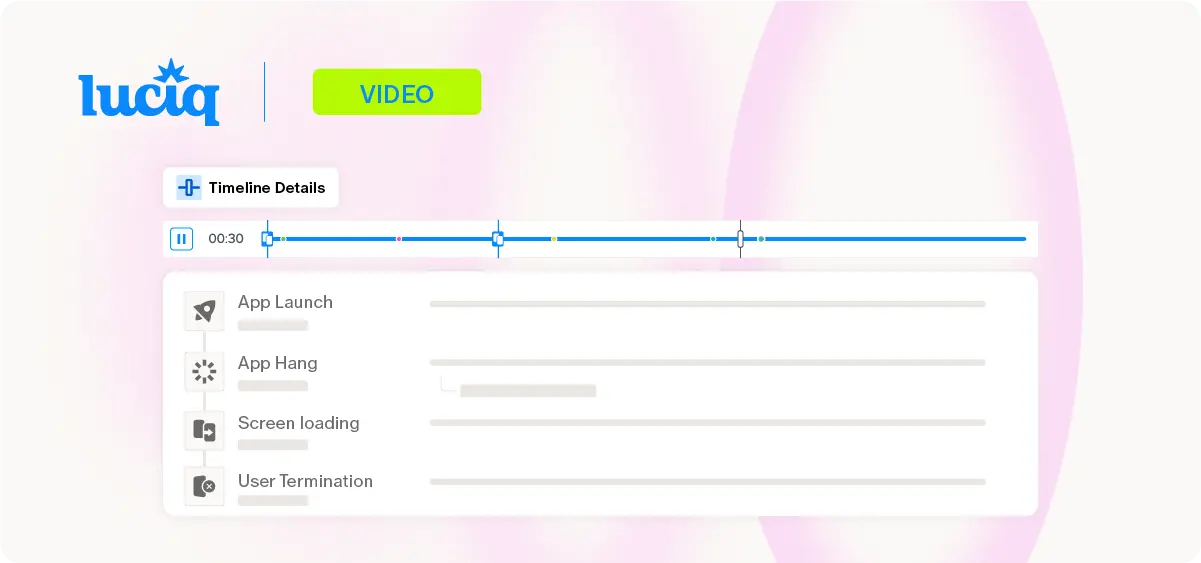
A mobile user journey is the high-fidelity map of your user’s experience, one that translates every tap, swipe, and frustration point into a technical timeline that both your support team and your developers can actually understand. It’s the "Instant Visual Truth" that replaces a support agent’s guesswork with a developer’s diagnostic logs.
When a user encounters a bug, the standard workflow is often a chaotic cycle of "cannot reproduce" tags and vague support tickets. For Developers and Customer Support teams, this "Action Gap" is where productivity and revenue die, trapped in a loop of manual forensics and second-hand feedback. When your team cannot see the mobile user journey exactly as the user lived it, you aren't just losing time; you are leaking revenue through unaddressed friction that drives users away.
Mobile User Journey: One Crash, Zero Second Chances
In 2026, the stakes for technical friction have moved from "inconvenient" to "existential." When Support cannot provide clear context and Developers cannot find the root cause, the user simply leaves. Survey data from Luciq’s No Margin for Error: What Mobile Users Expect and What Mobile Leaders Must Deliver in 2026 highlights why this Dev-to-Support handoff is critical:
- The Single-Strike Rule: User patience has effectively vanished, as 15.4% of users will uninstall an app immediately after just one single crash.
- The Performance Mandate: Reliability is no longer a differentiator but a baseline, as 81.3% of users rate app performance as “Extremely” or “Very important”.
- The Purchase Abandonment: During major sales events, 53.2% of users abandoned purchases due to app crashes or performance slowdowns.
- The Churn Threshold: Tolerance levels have collapsed; 50.4% of users will uninstall an app after only 2-3 crashes, meaning a single weekend of "sluggish" performance can decimate your retention.
The Problem: The "He-Said, She-Said" Maintenance Trap
The existing structure of mobile maintenance relies on vague support tickets and manual detective work. Support teams are forced to ask users for manual logs or screen recordings, while developers are left to waste hours trying to reproduce issues in a fragmented environment.
- The Maintenance Tax: Engineering teams spend 30 - 50% of their total capacity fixing bugs and dealing with unplanned rework.
- The Workflow Drain: Half of all developers lose 10+ hours every week to workflow inefficiencies, with 90% losing at least six hours.
- Silent Churn: Traditional tools miss the "silent killers" - UI hangs and rage clicks - that cause users to abandon the mobile user journey without a single crash log being generated.
- Support Burnout: Without visual context, CX teams face constant back-and-forth questioning, leading to inefficient triage handoffs and soul-crushing workflows.
Agentic Context: The Revenue Shield for Mobile User Journeys
Luciq eliminates the friction between Support and Engineering by providing a unified Agentic Observability layer that prevents revenue leaks before they scale.
- Instant Visual Truth (Session Replay): Luciq transforms raw data into a visual timeline, allowing Support to see exactly what the user saw and removing the "reproduction gap" for Developers.
- Bridging the Engineering-CX Gap: By linking survey responses and reviews directly to the exact session, Luciq allows CX teams to verify user claims without manual escalation.
- Agentic Resolution: Luciq’s Resolve Agent analyzes millions of data points to provide AI-driven root-cause briefs, allowing your team to stop "fixing the past" and start building something that matters.
Watch the video below to see how Luciq transforms session replays into actionable insights and ends the maintenance trap for good.
Guide to the Video
This video introduces Luciq Session Replay, a powerful tool designed to give engineers total visibility into user experiences by allowing them to replay any session.
- Comprehensive Session Data (0:27-0:30): Every session includes detailed device and session information attached to the visual recording.
- Automatic Privacy Masking (0:32-0:37): The tool automatically masks sensitive user information, ensuring security during visual playback.
- Diagnostic Timeline (0:40-0:50): Raw data is transformed into a visual timeline that highlights friction points, such as non-fatal errors, crashes, and network requests.
- Deep Troubleshooting (0:52-1:10): Users can click on timeline events to access the log section, allowing them to inspect API payloads and status codes.
- User Journey Tracking (1:12-1:30): If specific user journeys are monitored, they are highlighted on the timeline, making it easy to identify exactly where a user encountered friction.