













The easiest way to integrate Luciq into your Android app
We care deeply about the developer experience we provide to our users and have always strived to make integrating Luciq’s SDK a quick and simple process. Luciq’s Android Studio plugin takes it even further by allowing you to integrate the SDK through a simple UI, without writing a single line of code.
Installing the Android Studio plugin
Luciq’s plugin is available on the Android Studio marketplace. You can add the plugin by opening the marketplace tab from the plugins settings page in your Android Studio IDE and searching for Luciq.
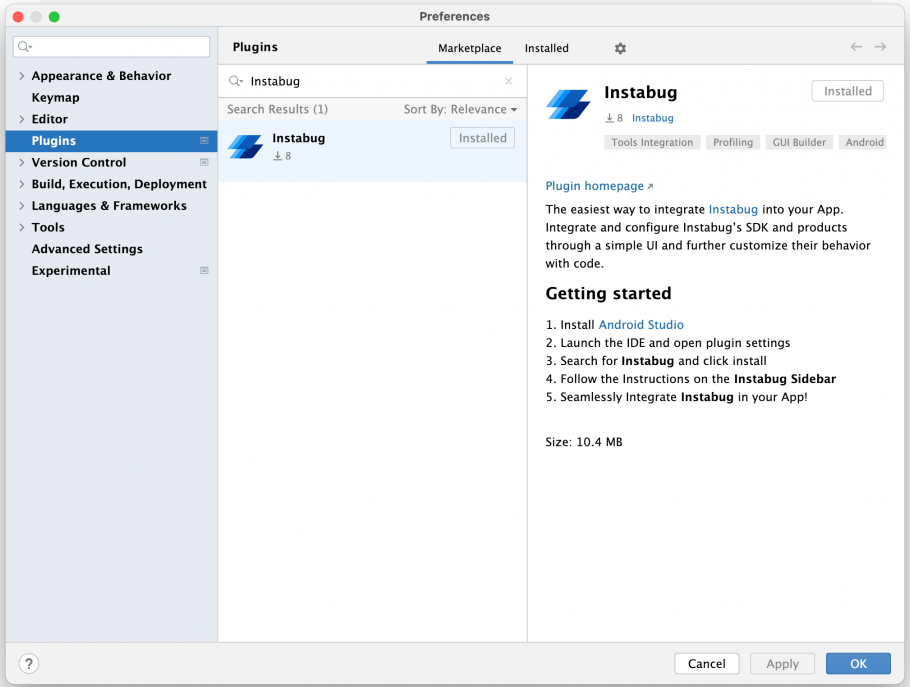
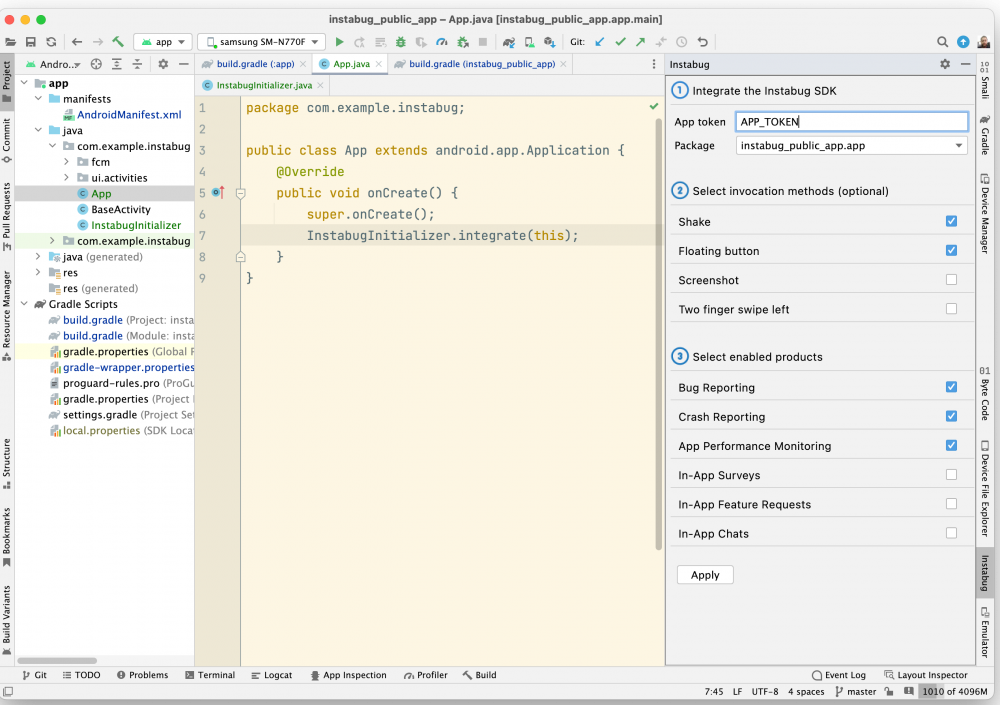
After installing the plugin, you’ll be able to add your app token and target package, as well as select your preferred invocation method and the Luciq products you want to enable from a simple UI in the plugin’s sidebar.
The products you enable will be integrated into your app with their default settings and you can further customize the product’s settings, configuration, and behavior by editing the boilerplate integration code or writing your custom code.
Stay tuned
This is the first iteration of Luciq’s Android Studio plugin and we are actively working on expanding its features and capabilities to make integrating, configuring, and customizing Luciq’s SDK a breeze.