












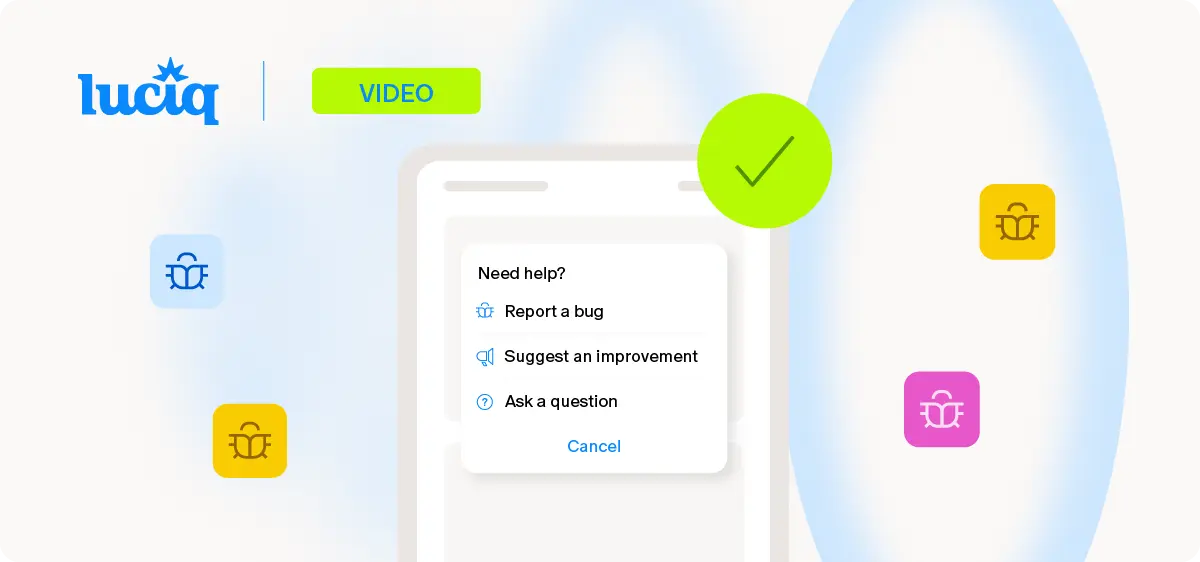
TL;DR: Mobile app quality assurance is the set of practices and tools a team uses to ensure their app performs reliably for real users across real devices. The biggest breakdown in most mobile app quality assurance workflows is not test coverage. It is the gap between a user filing a bug report and a developer having enough context to fix it. Luciq, the first and leading Agentic Mobile Observability platform, closes that gap with full session context, device data, and automatic log attachment on every report, which collapses the back-and-forth reproduction loop into a single triage step and transforms mobile app quality assurance from an investigation function into a resolution function.
A user taps in to check out, and the button does nothing. They try again. Nothing. They file a support ticket that says "checkout is broken." Three days later, after QA has attempted to reproduce it on six devices and the developer has requested clarification twice, someone figures out the issue only happens on Android 12 when the user is on a weak LTE connection inside a specific carrier network. The fix takes 20 minutes.
That is not a test coverage problem. You cannot write a unit test for "weak LTE on a specific carrier." That is a context problem, and it is where most mobile app quality assurance workflows quietly lose the majority of their week.
Where Mobile App Quality Assurance Actually Breaks Down
Most mobile app quality assurance conversations focus on test coverage. Unit tests, UI tests, integration tests, automated regression suites. Coverage matters. But the failure mode that costs engineering teams the most time is not a missed test case. It is the bug that reaches production anyway, gets reported by a user, and then takes four rounds of back-and-forth to reproduce.
The Reproduction Loop Is the Real Bottleneck in Mobile QA
The user says the checkout button did not work. The developer cannot reproduce it. QA cannot reproduce it either. Three days later, someone figures out it only happens on a specific Android version with a weak network connection. The fix takes 20 minutes. The investigation took three days.
That is not a testing problem. That is a context problem. And no amount of additional test coverage fixes it, because the variables that caused the failure (device, OS version, network state, user session behavior) were never inside the test environment to begin with. This is the mobile app quality assurance failure pattern no testing discipline alone can solve.
Coverage and Context Are Not the Same Thing in Mobile App Testing
Teams often try to close the production bug gap by adding more tests. That approach has diminishing returns past a certain point, because the bugs surviving a well-covered test suite are specifically the ones that depend on conditions your tests cannot reproduce. Better mobile app testing makes your releases cleaner. It does not make your bug reports more resolvable. Modern mobile app quality assurance has to own both layers: the pre-release testing side, and the post-release context-capture side.
Bugs Are More Common Than Most Teams Admit
Research cited by aqua-cloud found that 78% of people encounter bugs in mobile apps regularly, and most will uninstall an app that keeps having problems. Your competitor's app is literally one tap away in the app store, which makes mobile app quality assurance less of a hygiene practice and more of a retention lever. The in-app bug reporting workflow is the part of mobile QA most directly tied to whether those users stay or leave.
Watch the Full Bug-to-Resolution Workflow
The video below shows exactly what happens when a user files a bug report in a Luciq-integrated app, and how that report lands in the developer's dashboard with everything needed to resolve it immediately. No back-and-forth required, no reproduction loop, no handoff friction. This is what mobile app quality assurance looks like when context travels with every report.
What You're Seeing in the Video
User-initiated bug report (0:00–0:38). A user shakes their device in a live app to file a bug. They annotate a screenshot, add a short description, and submit. What they see is a simple feedback flow. What the mobile app quality assurance system captures in the background is substantially more than what they just typed: device model, OS version, app version, network state, full session replay, and console logs leading up to the report.
Full-context landing in the dashboard (0:39–1:01). The report arrives in the developer's dashboard with everything attached. No "can you tell me what phone you're on" email chain. No "can you reproduce the steps" request. The context that would have taken three rounds of back-and-forth to surface is already there, visible in the first click. This is the mobile app quality assurance workflow collapsing from a multi-day investigation into a single-view resolution.
Automatic failure pinpointing (1:02–1:36). This is the section worth watching closely. Luciq's agentic AI identifies the exact failure point without a single manual investigation step. In the video, the issue is a hostname not found on a specific carrier network, surfaced instantly in the report view. That is the context gap closing in real time, the thing QA teams typically spend days reconstructing, handed over in seconds.
Triage becomes prioritization (1:37–2:00). With context attached automatically, the QA lead's job shifts. The question is no longer "can we reproduce this one" but "which of these reproduced issues do we fix first." The mobile app quality assurance workflow moves from investigation to decision-making, which is where senior QA talent should have been spending their time all along.
What Full-Context Bug Reporting Adds to Mobile App Quality Assurance
When a user shakes their device to file a bug report in a Luciq-integrated app, the report that lands in the dashboard is not a text description. It arrives with a screenshot of the exact screen, device model, OS version, app version, network state, console logs, and a full session replay of everything the user did leading up to the issue. That is a complete mobile app quality assurance payload in a single report.
The Developer Opens the Report and Sees the Failure Immediately
There is no reproduction loop. There is no back-and-forth. The context that would have taken three days to surface manually is attached automatically to every report, which is the single biggest shift modern mobile app quality assurance brings to an engineering organization.
For QA leads, this changes the workflow fundamentally. Triage stops being investigation and starts being prioritization. The question shifts from "can we reproduce this" to "which of these reproduced issues do we fix first." That is a meaningfully different job, and it is the one QA leads were hired to do in the first place.
Non-Crash Issues Surface Too, Which Most QA Tools Miss
Most observability tools catch crashes. They miss the bugs that do not throw an exception: a broken button, a form that silently fails to submit, a screen that renders wrong on a specific device size. These are the issues users actually notice and report. Full-context in-app bug reporting is where those signals become resolvable, and it is the part of mobile app quality assurance that traditional crash reporting never addressed.
How to Write a Mobile Bug Report That Actually Gets Fixed
A good mobile bug report has four things: a clear title that names the screen and the failure, reproduction steps in the user's exact order, environmental context (device, OS, network, app version), and a visual artifact (screenshot or session replay). When your mobile app quality assurance stack captures all four automatically, users no longer have to write good bug reports. The system does it for them.
Connecting Mobile App Quality Assurance to Business Outcomes
Mobile app quality assurance is not just an engineering concern. Bug reports that go unresolved become one-star reviews. One-star reviews suppress organic app store discovery. Suppressed discovery raises the cost of paid acquisition. That chain is short, and the links are strong.
Bugs Are the Number One Cited Reason for Negative Reviews
Luciq's No Margin for Error: What Mobile Users Expect and What Mobile Leaders Must Deliver in 2026 found that bugs and crashes are the primary deal-breaker for 50.3% of users who leave a negative review, ahead of missing features, bad UI, and every other factor. The quality of your mobile app quality assurance workflow has a direct line to your app store rating, your acquisition cost, and your churn rate.
User Abandonment Follows Bug Frequency
Luciq's research found that 77.5% of users say repeated poor performance permanently damages their perception of a brand, and 30% are very likely to switch to a competing app after a performance failure. That is the baseline.This means your mobile app quality assurance process is not competing against bug-free ideals. It is competing against how fast you can catch and resolve real issues before users walk.
Mobile QA as Revenue Protection
For engineering managers and product owners, mobile app quality assurance is a revenue protection function, not just a development hygiene practice. A report that sits unresolved because nobody could reproduce it is not a neutral event. It is a customer who is about to leave a review that will cost you installs for months.
See the full bug-to-resolution workflow → Book a demo.
Read Next → Mobile App Performance Metrics: How Network Observability Protects Revenue